Embed forms in WordPress.
No code required.
Install the StaticForm plugin from WordPress.org, enter your API key, and drop a form anywhere on your site using the Gutenberg block, Elementor widget, or a simple shortcode.
7-day free trial. No payment method required.
Sound familiar?
Your contact form plugin sends everything to your inbox, including the spam.
Most WordPress form plugins have no real spam filtering. You end up manually deleting dozens of bot submissions every week while trying to find the real leads.
Submissions are trapped in the WordPress database with no easy way to route them.
You want leads in Slack or a Google Sheet, but your current plugin requires expensive add-ons or a Zapier account to wire up basic integrations.
Managing forms across multiple client sites is a mess of different plugins and configurations.
Each client site has its own plugin, its own settings, and its own storage. There's no central place to see what's coming in across all your projects.
Install once. Embed anywhere on the site.
Install the plugin and enter your API key
Install StaticForm from WordPress.org and activate. Then go to StaticForm › Settings and paste in your API key.
Create your form in the StaticForm dashboard
Configure your fields, spam protection, and submit actions (email, Slack, Google Sheets, etc.) once in the dashboard. The plugin pulls the form config automatically.
Embed using block, widget, or shortcode
Drop the StaticForm block into any page in the Gutenberg editor, drag the widget onto your Elementor canvas, or paste a shortcode into any post or widget area.
Three ways to embed. Pick the one that fits your workflow.
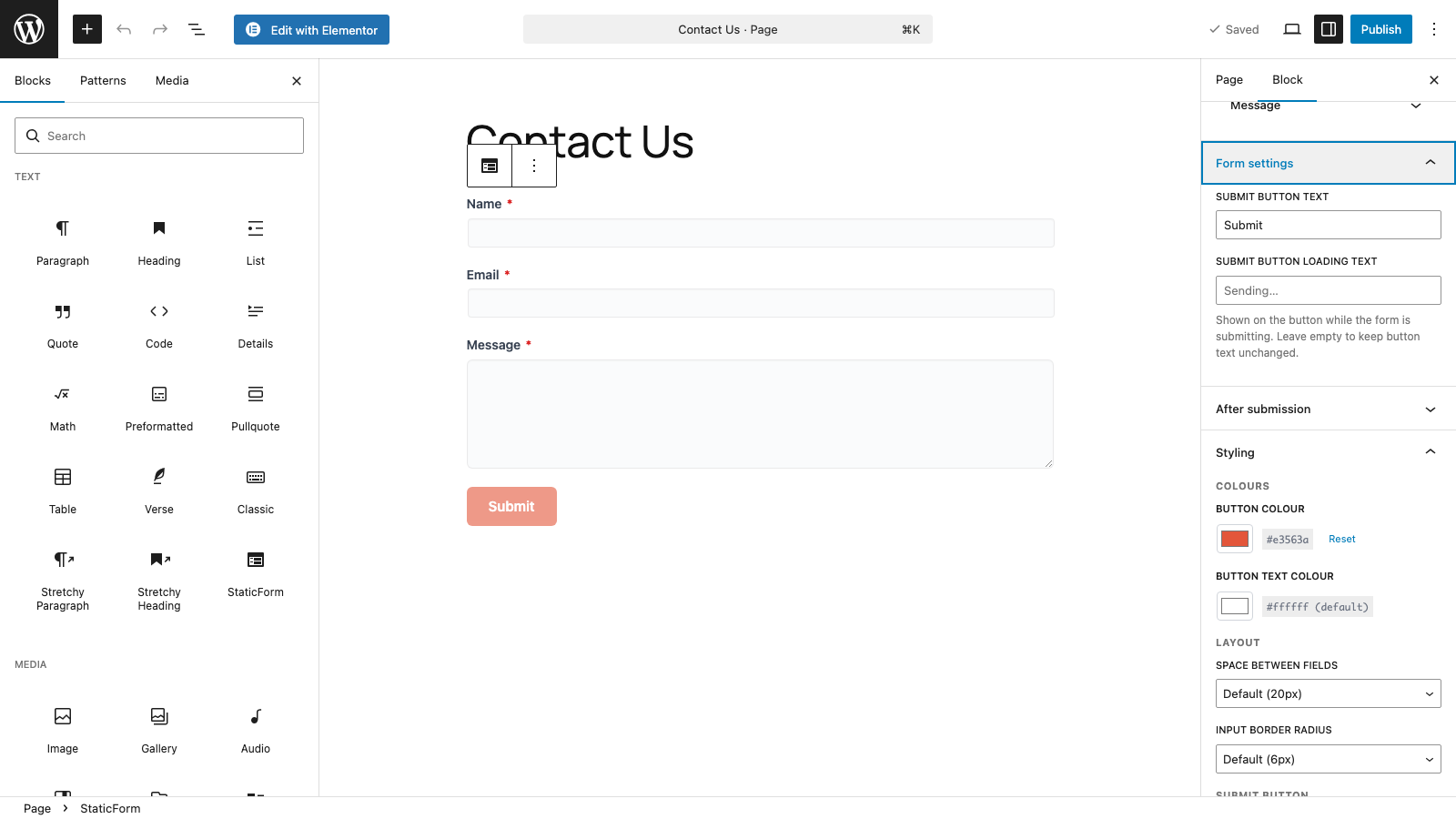
Drop it in like any other block
Search for "StaticForm" in the block inserter and insert it anywhere on the page. The block inspector on the right gives you per-embed controls without touching any code.
- Select form from dropdown
- Adjust button colour, border radius, field spacing
- Set submit button text and loading text
- Configure after-submission behaviour
- Add captcha site key per embed
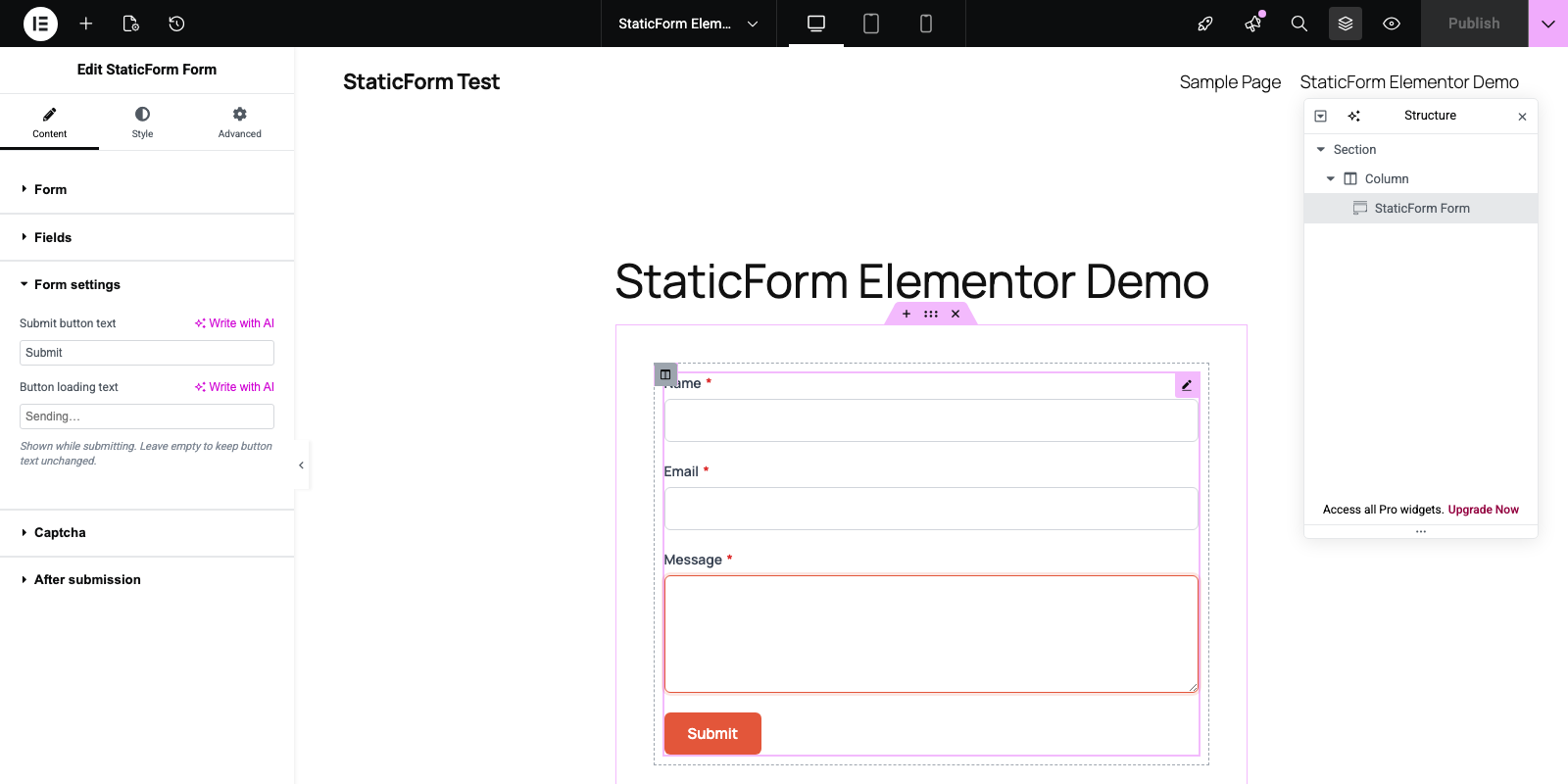
Drag, drop, configure in the panel
Find the StaticForm widget in the Elementor panel under General and drag it onto the canvas. Everything is configurable in the left panel. No switching to another screen.
- Select form and sync fields from StaticForm
- Override field labels, placeholders, and help text per embed
- Full style controls: colours, radii, spacing, button width
- After-submission: message, banner, or button animation
- Custom CSS editor with class reference
StaticForm › Forms: copy your shortcode
[staticform id="abc123"]
Paste anywhere shortcodes work
<p>
[staticform id="abc123"]
</p>
Works everywhere shortcodes work
Create a form configuration in StaticForm › Forms to set appearance and behaviour, then copy the generated shortcode. Paste it into any post, page, sidebar widget, or theme template.
- Sidebars and widget areas
- Classic editor and text blocks
- WooCommerce pages and checkout
- Theme templates and PHP files
- Any page builder that supports shortcodes
Everything you'd expect. Nothing you don't need.
Spam filtered before it reaches you
StaticForm's spam engine runs on every submission. Bot traffic, gibberish, and known spam patterns are blocked before any notification fires or any row is written.
CAPTCHA support built in
Enable reCAPTCHA v2, reCAPTCHA v3, hCaptcha, or Cloudflare Turnstile per form. Configure the site key in the plugin settings and it renders automatically.
All your submit actions, unchanged
Email, Slack, Discord, Google Sheets, Notion, webhooks. Everything you configured in the StaticForm dashboard works the same way for WordPress submissions.
Per-form appearance controls
Adjust accent color, button border radius, field spacing, and custom CSS for each embed independently. One form, multiple placements, each styled to match.
After-submission behavior
Show a thank-you message, redirect to another page, or trigger a CSS animation. Configured per embed so different placements can behave differently.
Central submission log
Every submission from every WordPress site lands in your StaticForm dashboard with timestamps, field values, spam scores, and action execution results.
Ready to add StaticForm to your WordPress site?
One API key. Connected in seconds.
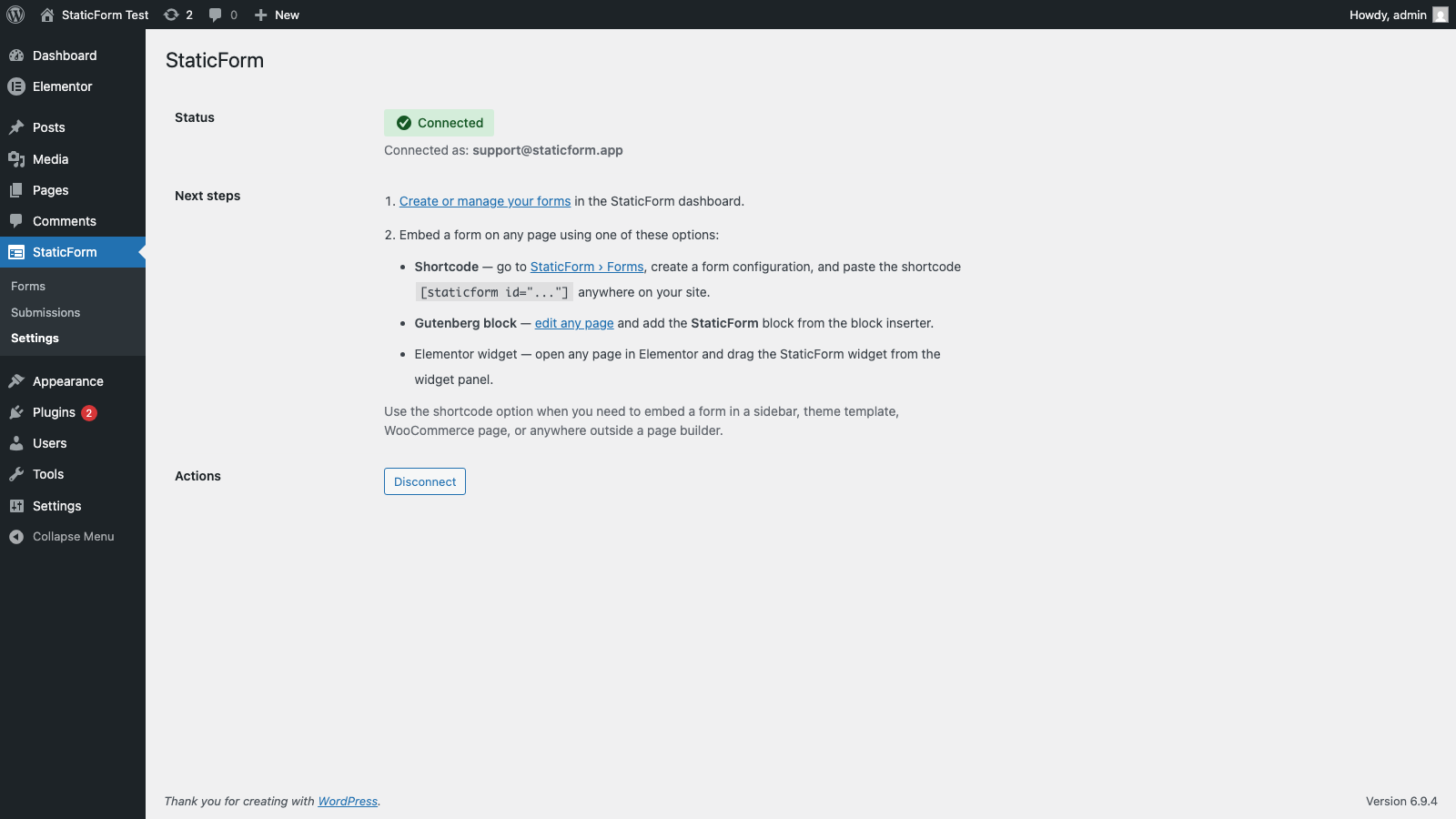
Paste your API key once. The forms available to embed are scoped to the permissions on that key.




get started
Your next real lead is
waiting to arrive.
Set up a form in 5 minutes. Spam blocked automatically. Every real submission stored, delivered, and logged.
Ready to get started?
Add forms to your site in minutes